

Turn long videos into short clips — that is the fastest way for Nepali creators to get more from one recording.
Most creators in Nepal do not have a shortage of ideas. They have a shortage of time. A podcast episode, a class recording, a webinar, or a long interview can take hours to record — and then hours again to edit into something that works on Reels, TikTok, YouTube Shorts, and LinkedIn. That second job is where most long videos stall. The recording stays in a folder. The best moments never become posts.
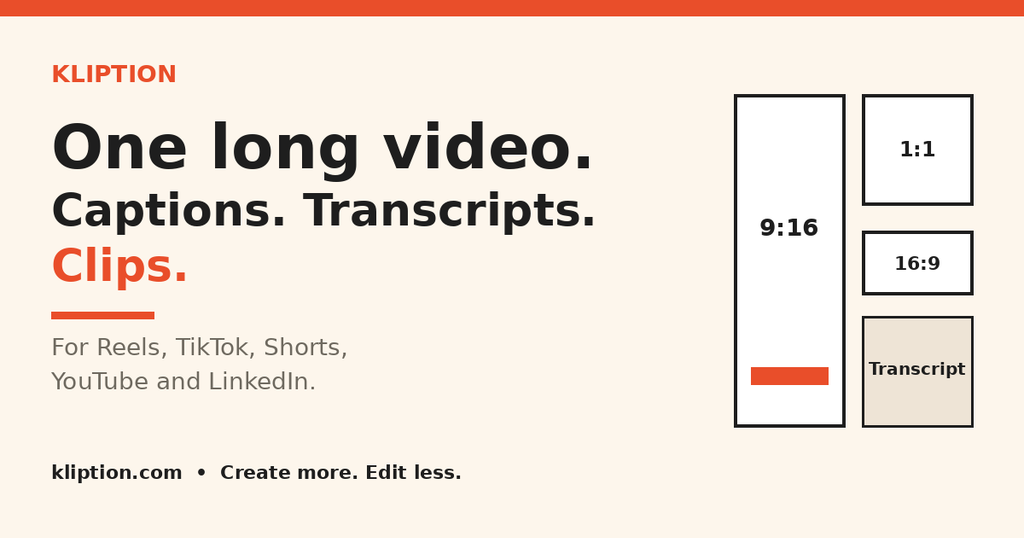
Kliption is built to turn long videos into short clips, with captions and a transcript in the same workflow. It is a browser-based AI workspace that turns one long recording into captioned videos, a timestamped transcript, and short clips — all in one place. Its tagline says it plainly: Create more. Edit less.
This is not a replacement for editing judgment. It is a way to get from a finished recording to publishable pieces faster, with a review step before anything goes out.
For more explainers for Nepali students, young professionals and creators, see Hamro Niti.
Table of Contents
What is Kliption?
Kliption helps you turn long videos into short clips, and it does three things with one recording:
- Create captioned videos — captions generated automatically, then edited for wording, timing, and style.
- Transcribe your content — a timestamped transcript you can search, correct, and export.
- Repurpose longer recordings into short-form clips — highlight candidates sized for vertical feeds, ready for captions.
You upload once, review, and export in the format you need. You do not need to re-edit the same conversation three times for three platforms.
Kliption is made for podcasters, YouTubers, marketers, and agencies — in practice, that also covers teachers, trainers, student creators, and small teams in Nepal who record long sessions and need short, shareable versions of them.
How to Turn Long Videos Into Short Clips in 4 Steps
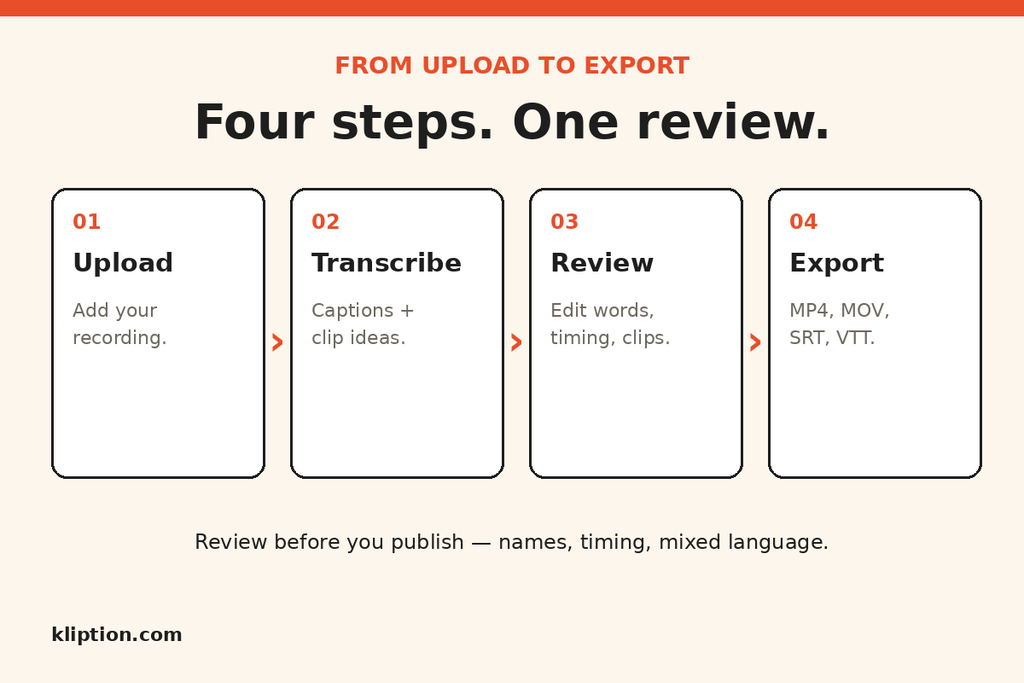
To turn long videos into short clips with Kliption, follow four steps. The review step is the important one.
1. Upload
Add your recording. Kliption accepts MP4, MOV, and WebM video, and transcription also accepts audio. The upload interface allows up to 5 GB, subject to your remaining storage and processing allowance, so check codec compatibility if a file will not upload.
2. Transcribe
Kliption generates captions and identifies potential clips from the speech in your file. The transcript becomes the map of the recording: instead of scrubbing through an hour of video to find one quote, you can search the text and jump to the moment.
Kliption transcribes English and many other languages, including Nepali, Hindi, Spanish, French, German, Japanese, Korean, and Chinese. For Nepali creators, that matters twice over: you can caption Nepali content, and you can work with English content without switching tools.
3. Review
This is where Kliption differs from a fully automatic clip machine. Every caption line is editable — text and timing — and Auto Clips ranks candidates so you select, trim, and export only what you want.
Review names, overlapping speech, and mixed-language recordings before export. That check takes minutes, and it is what keeps a transcript accurate enough to quote, caption, and post.
4. Export
Publish in the format you need: MP4 or MOV video, or SRT and VTT subtitles. Use SRT for the widest compatibility with editors and social platforms. Use VTT for web video players. YouTube accepts both.
Turn Long Videos Into Short Clips for Every Platform
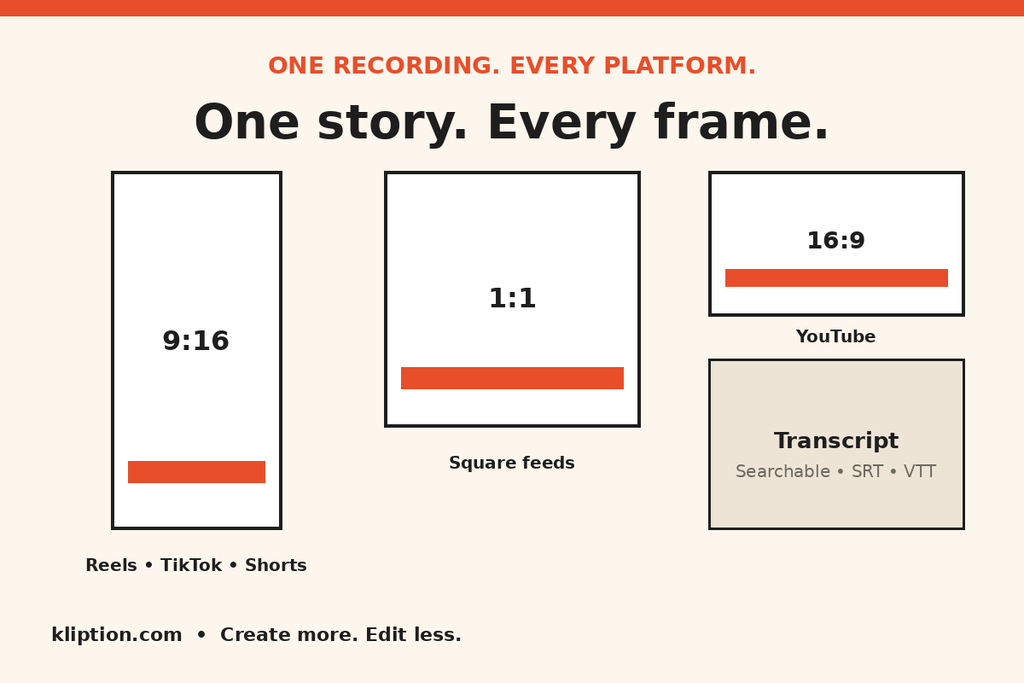
A single recording does not fit every feed in the same shape. Kliption previews your recording in landscape, portrait, and square, and keeps the subject in view with captions inside the safe area.
- 16:9 — YouTube: the full landscape version.
- 9:16 — Reels, TikTok, Shorts: vertical, caption-ready clips.
- 1:1 — Square feeds: a format that still works well on LinkedIn and Instagram feeds.
That matters for Nepali creators who are not posting to one platform. When you turn long videos into short clips, a class explainer can become a YouTube video, a 30-second Reel, and a LinkedIn clip from the same source — without starting the edit from scratch each time.
What a Practical Week Looks Like
Imagine you record one long session each week — a podcast, a tutorial, or a discussion. Without a repurposing workflow, that session is one post. When you turn long videos into short clips, the same session can become:
- A captioned full video for YouTube.
- A searchable transcript you can turn into show notes, quotes, or a blog outline.
- Several short clips for Reels, TikTok, and Shorts, each chosen because it stands alone as a hook, an insight, or a takeaway.
- A square clip for LinkedIn or an Instagram feed post.
Kliption’s own homepage shows this as an illustration, not a promise: one five-minute recording, with three example moments highlighted. Your clip count will depend on your recording, your topic, and what you choose in review. Do not expect a fixed number of viral clips from every upload — expect a faster way to find and shape the moments worth sharing.
Brand Kit: Keep Every Clip Looking Like Yours
If you publish regularly, consistency matters as much as speed. Kliption’s Brand Kit lets you save your logo, colours, typography, and caption styles once, then reuse them across projects — so a clip from this week looks like it belongs with a clip from last month.
Check which plan includes Brand Kit on the pricing page before you rely on it for client work, as plan features differ.
Pricing: Free to Try, Paid From $4.99 a Month
Kliption is free to try, with no credit card required to start.
- Free — $0: a one-time evaluation, with 10 minutes of Auto Captions, 1 Auto Clip, and 1 export in total. Hosted files on Free are stored for 7 days, then deleted, with a warning 3 days before.
- Starter — $4.99/month: for consistent captioned content, with 72 video processing minutes, 9 Auto Clips, and 6 exports a month.
- Creator — $9.99/month: for regular repurposing, with 180 minutes, 45 Auto Clips, and 30 exports a month.
- Pro — $19.99/month: for high-volume production, with 420 minutes, 90 Auto Clips, and 72 exports a month, plus 4K exports.
Free exports include a watermark; paid plans export without one. Paid plans keep hosted files while you stay subscribed. You can cancel at period end from Settings → Plan, and you keep paid access until the renewal date. Files you have already exported stay yours.
If you turn long videos into short clips regularly, start with the free plan on a real recording you already know — one with names, background noise, or mixed language if that is what you normally publish — and review the result before committing to a monthly plan.
Who Should Turn Long Videos Into Short Clips First?
Kliption fits best if you already record long content and struggle with the editing that comes after it:
- Podcasters turning full episodes into multiple short clips.
- YouTubers shipping captions and social cutdowns faster.
- Teachers and trainers turning a class or webinar into short explainers and a searchable transcript.
- Marketers and agencies repurposing webinars into campaign assets and client-ready clips.
- Student creators who want one recording to work across platforms without learning a full editing suite first.
It fits less well if you want a tool that posts for you, or one that guarantees which moments will perform. Kliption helps you find and prepare clips. Choosing, trimming, and publishing them is still your call — and that is a strength, not a missing feature, for creators who care about accuracy.
Turn Long Videos Into Short Clips: A Note for Nepali Creators
Nepali creators often work across languages in a single video: Nepali speech, English terms, and sometimes Hindi phrases. That mix is exactly where automatic tools need a human review pass. Kliption supports Nepali transcription, but do not publish a transcript or captioned clip without checking names, technical terms, and any place where speakers talk over each other.
Done well, that review is also an advantage. A clean, timestamped transcript makes your content searchable, quotable, and reusable — for notes, articles, and future videos — long after the original post has scrolled past.
For more explainers in this style, see Hamro Niti.
Frequently Asked Questions
How do I turn long videos into short clips with Kliption?
To turn long videos into short clips with Kliption, upload your recording, transcribe it, review the captions and clip candidates, then export the clips you want in 9:16, 1:1 or 16:9 format.
What is Kliption?
Kliption is an AI video workspace that turns one long recording into a timestamped transcript, editable captions, and short clips for TikTok, Reels, Shorts, YouTube, and LinkedIn.
Who is Kliption for?
Podcasters, YouTubers, marketers, and agencies who record long-form video and need captions and short clips without editing every cut by hand.
What formats does Kliption support?
Upload MP4, MOV, or WebM, subject to your remaining storage and processing allowance. Transcription also accepts audio. Export MP4 or MOV video, or SRT and VTT subtitles.
Can I edit the captions and choose my own clips?
Yes. Every caption line is editable — text and timing — and Auto Clips ranks candidates so you select, trim, and export only what you want.
Is there a free plan?
Yes. Free is for trying captions and a first clip pass. Hosted files on Free are stored for 7 days, then deleted. Paid plans start at $4.99 a month.
Is there an affiliate programme?
Yes. Apply from Settings → Affiliate in the app. Approved affiliates earn 15% commission on referred paid plans, and buyers referred get 15% off. Minute-based friend referrals stay under Settings → Referrals. Terms not stated on the homepage — such as cookie window and payout timing — are not promised here.
The Bottom Line
To turn long videos into short clips, you do not need more ideas. You need a faster way to turn the recordings you already make into content people can actually watch, read, and share.
Kliption does that one job clearly: upload once, transcribe, review, and export captions, a transcript, and clips for every platform. Try it free on a recording you already have, review the transcript properly, and see whether the workflow saves you the editing time it is meant to save.
Try Kliption.com — Create more. Edit less.